
Student onboarding
Student Pilot Onboarding Checklist for Independent CFIs
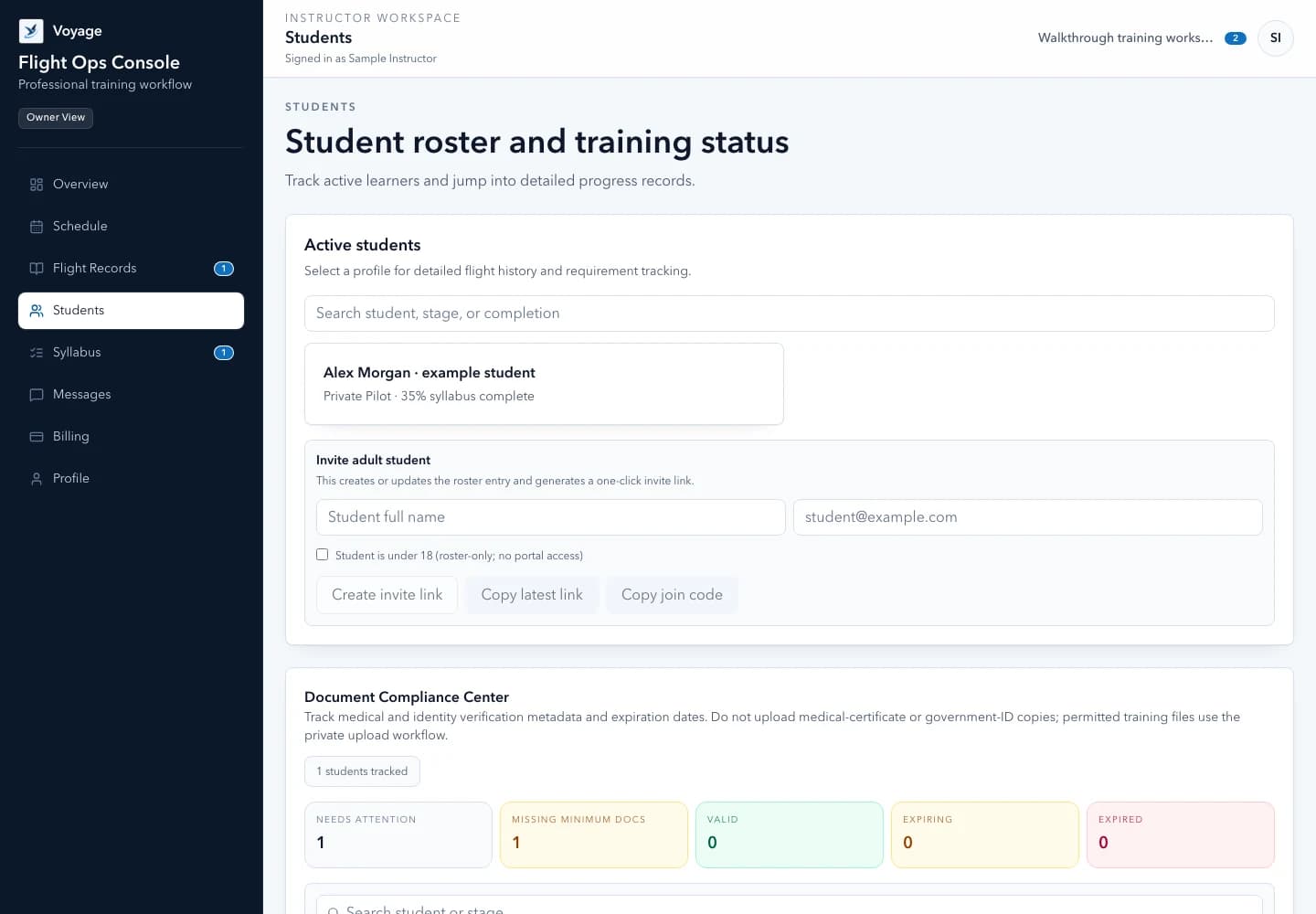
Prepare an instructor-led student onboarding process covering roster details, adult invitations, home airport, scheduling expectations, and the first training objective.
Quick orientation
What this guide helps you do
A useful onboarding process establishes how the instructor and student will work together before the first booking request. It separates basic administration from the CFI's assessment of training needs and applicable requirements.
Key takeaways
- Create the correct roster record before sending an invitation.
- Use the adult account workflow only for eligible adults; minors remain roster-only.
- Finish with one clear next objective and a reviewed lesson request.
Linked sources reviewed . Check the current source before applying a requirement.
Prepare the instructor workspace first
Set the workspace name, home airport, and timezone before asking students to book. Confirm which instructor is responsible for the student's training and which teammates actually need access.
Start with the minimum administrative information needed. Verify names and contact details directly; do not collect identity or medical documents simply because a form can accept an attachment.
Before the invitation
- Workspace and home airport reviewed
- Roster identity confirmed
- Adult or minor workflow chosen
- Access limited to the intended instructor team
Explain how a booking becomes a confirmed lesson
Show the student where available times appear and explain that a request is a proposal. The CFI reviews aircraft access, preparation, lesson purpose, and other constraints before confirming it.
Agree where time changes and cancellations should be communicated. An airport change or a different meeting time should be visible to both people; a message alone should not silently overwrite the booking record.
Reusable template
First-lesson handoff
- Meeting point
- [Airport and specific meeting location]
- Time
- [Date, start time, named timezone, expected duration]
- Purpose
- [Objective chosen by the instructor]
- Preparation
- [Reading or tasks to complete before requesting confirmation]
- Communication
- [Where to ask questions or propose a change]
Check the handoff from the student's perspective
For an adult student, confirm that the invitation reaches the intended person and that the linked account shows the correct workspace. A successful invitation does not replace any required training or eligibility review.
Before ending onboarding, ask the student to locate the schedule, preparation tasks, and messages. Keep the first next step small enough to complete: review one preparation item and request an appropriate lesson time.
- Confirm the adult student can find the right workspace
- Keep minors out of the adult invitation flow
- Review documents through the private workflow
- Leave the next objective visible instead of relying on memory
Worked example: onboard an adult without exposing the roster
Morgan creates Alex's roster entry, confirms the intended adult recipient, and explains the invitation before sending it. Alex checks the selected workspace and finds the first preparation task before requesting a lesson. Another student's records should not appear in Alex's view.
For a minor, stop before the adult invitation flow and maintain a roster-only record. Do not create an adult account merely to finish a checklist.
Reusable template
Adapt this fictional example
- Identity and access
- Confirm the intended person, adult invitation workflow, and correct workspace
- Orientation
- Review home airport, named timezone, preparation, booking requests, and messages
- First request
- Explain what still requires instructor review before confirmation
Fictional administrative example, not a flight procedure, eligibility assessment, or endorsement.
Primary sources
Check the current official material
Rules, standards, and guidance can change. Open the current source before using this resource for a real training or recordkeeping decision.
Use the workflow in Voyage
Organize your student roster
Review the supported workflow, example interface, and workspace limits before starting your trial.
Explore the product workflowPublished and maintained by Voyage. Read how Voyage researches, updates, and corrects its resources.