
Private student documents

Student Pilot Document Management for CFIs

Keep document administration out of scattered email attachments. Voyage organizes lower-risk training files and expiration metadata with authorized access. Medical certificates and government IDs are tracked as verification metadata, not stored as image or PDF copies.

Document workflow

Upload, check, and review access

An uploaded file goes through the private-file workflow. A stored or unexpired document is not evidence that its holder is legally qualified for a particular flight.

Voyage sample workspace

Upload, check, and review access

Private

workspace-scoped file access

  • New upload

    File scanning before supported access

    Review status
  • Expiration date

    Date-derived administrative status

    Follow up

Illustrative Voyage interface using fictional names and sample values.

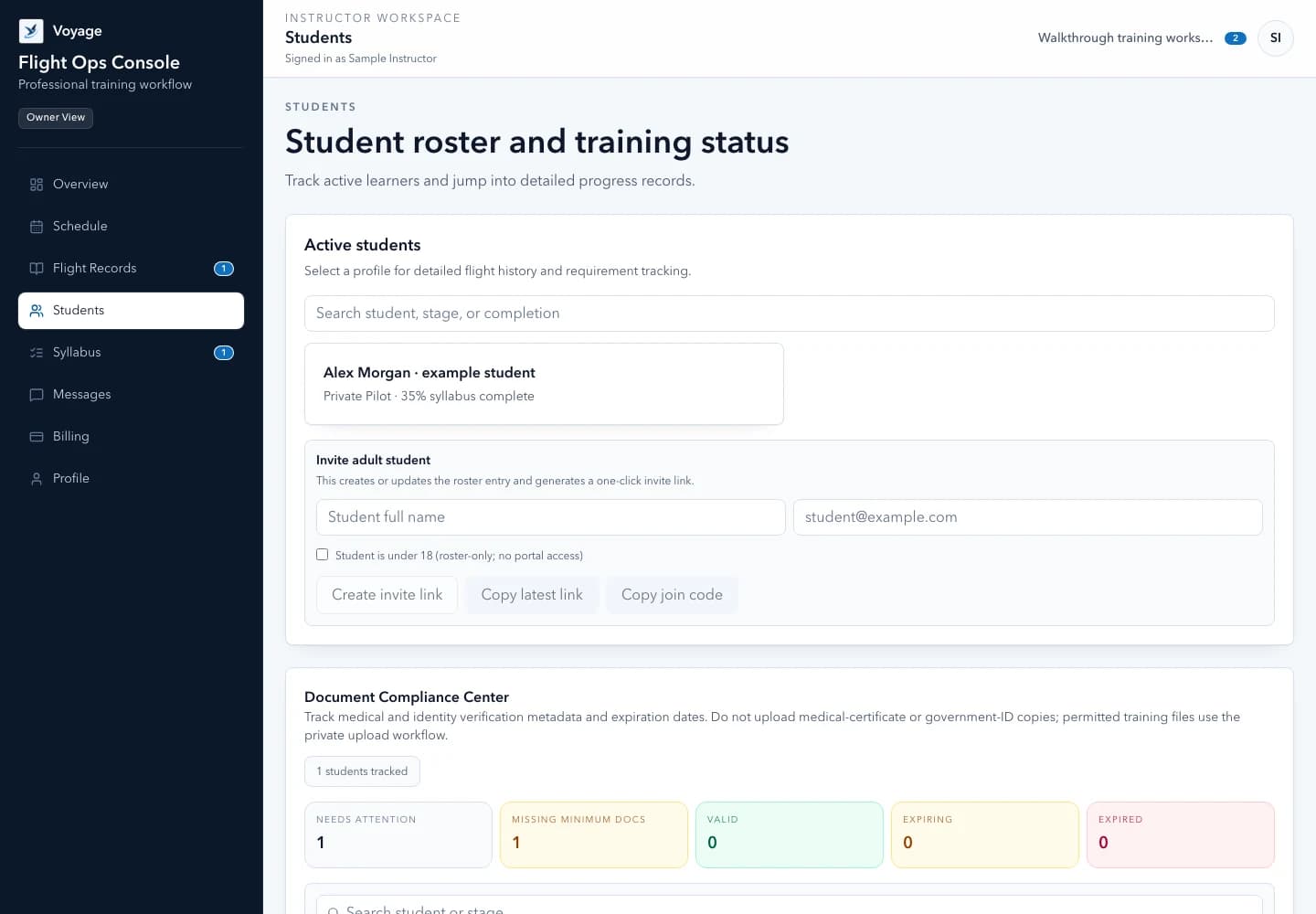
Voyage student roster showing fictional student progress and next steps
Keep each student's progress and next action together. Example workspace · fictional data.

A focused workflow

How private student documents works in Voyage

Organize private student documents, expiration dates, and instructor follow-up with workspace permissions and scanned uploads in Voyage.

Organization

Request only what the operation needs

Set the purpose and intended access before requesting a document. Avoid collecting unnecessary sensitive information. A useful record identifies the student, document category, relevant dates, and the next administrative action.

  • Keep documents associated with the correct student
  • Use meaningful titles and expiration dates
  • Review workspace access before sharing
  • Do not place private file URLs in public messages or marketing pages

Access

Use the private upload workflow

Supported files use a server-controlled upload and scanning pipeline. Quarantined or rejected files should not be treated as ready to use. Downloads require appropriate authorization and remain subject to the workspace's storage allowance.

  • Scanned uploads rather than unrestricted public file links
  • Workspace-scoped permissions
  • Explicit unavailable or rejected-file states
  • Preserved separation between one instructor's workspace and another

Expiry

Treat dates as a prompt to investigate

Voyage derives administrative expiration status as dates pass. The instructor still checks the actual document and applicable current requirements. A valid-looking file badge cannot establish medical eligibility, currency, or permission to act in a particular role.

  • Review expiring and expired administrative records
  • Confirm the underlying document before follow-up
  • Use monthly summaries to locate exceptions
  • Keep legal and training decisions with the appropriate human reviewer

Common questions

Know what to expect before you start.

Does an unexpired document prove flight eligibility?

No. Administrative document status does not establish legal eligibility, currency, or authorization for a flight.

Are documents public?

Student documents use authorized workspace access. Do not publish private download links or include customer documents in public resources.

Can minors use the same login workflow?

Minors are roster-only in Voyage. Do not invite a minor into the adult student account workflow.

A practical walkthrough

Review a permitted file without exposing a public link

Fictional example: Alex supplies a permitted training PDF for Morgan to review. It is not available merely because the upload started.

  1. Choose the permitted purpose and correct workspace/student before requesting a file.
  2. Wait for scan completion and use authorized access; handle unavailable or rejected files explicitly.
  3. Review relevant dates against the authoritative source and record a human follow-up.

What this establishes: File access stays private. Use verification metadata for medical certificates and government IDs, not uploaded copies; an administrative badge is not proof of flight eligibility.

Put this workflow into practice

Choose a focused feature guide or practical resource to review the next step before starting your instructor workspace.

Give your next lesson a clearer runway.

Start the complete Voyage workspace for 14 days with no card required. Students join free by invitation.

Start free trial