
Monthly instructor reports

Monthly Reports for Independent Flight Instructors

Close the month with a clear review of your teaching operation. Voyage summarizes recorded activity and links to the workspace so you can investigate exceptions and choose the next action.

Reporting rhythm

One complete calendar month at a time

Monthly instructor reports summarize the preceding calendar month. Activity dates use the workspace timezone.

Voyage sample workspace

One complete calendar month at a time

Monthly

normal instructor report delivery

  • Completed training

    Lessons and recorded instructional time

    Review
  • Administrative follow-up

    Upcoming work, documents, outstanding invoices

    Open source

Illustrative Voyage interface using fictional names and sample values.

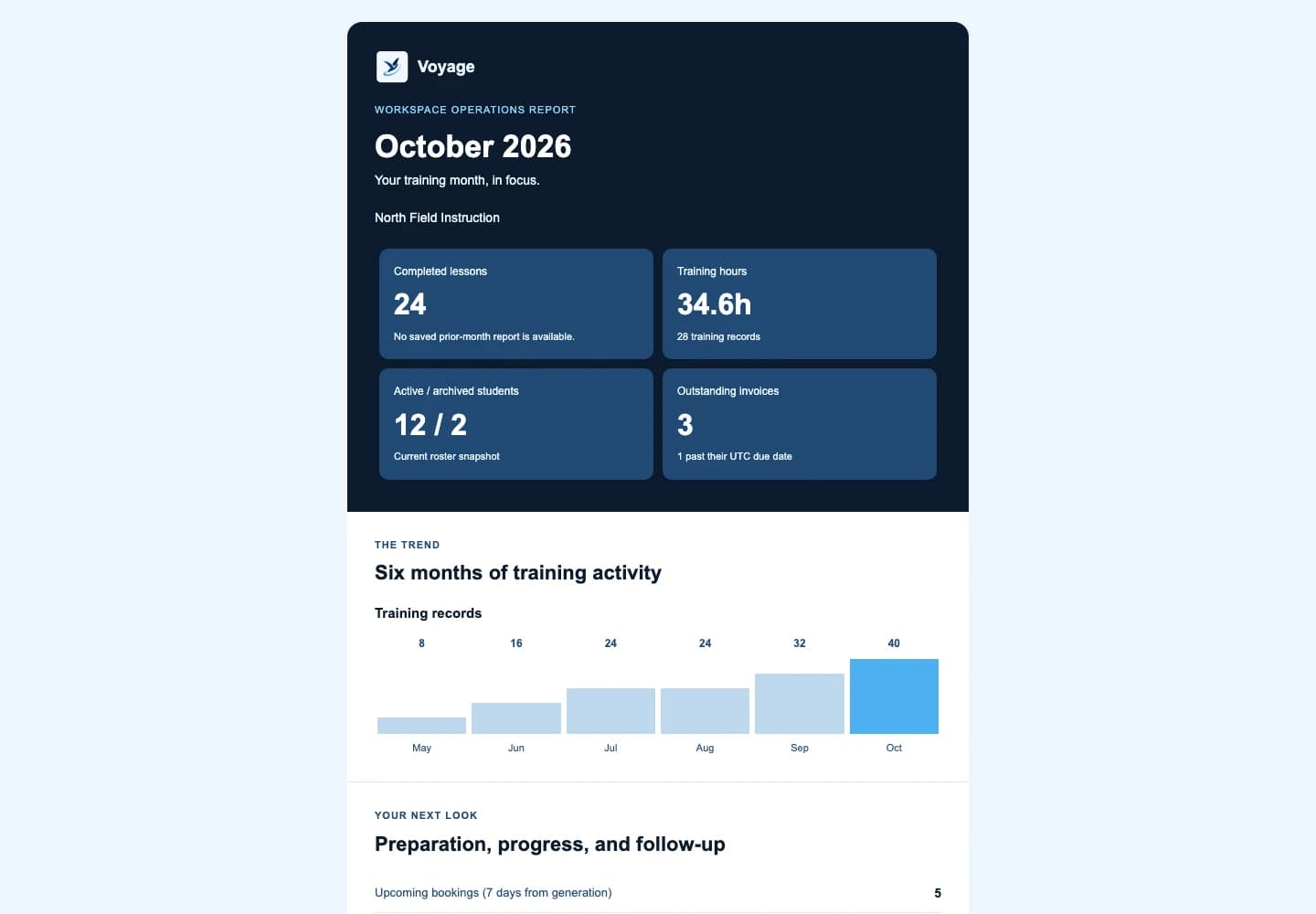
Voyage monthly instructor email report containing clearly fictional activity totals
A monthly summary links back to the source workspace. Example workspace · fictional data.

A focused workflow

How monthly instructor reports works in Voyage

Review completed lessons, training hours, student follow-up, documents, invoices, and usage with Voyage's monthly instructor workspace digest.

Activity

Understand what was actually recorded

The digest summarizes completed lessons and recorded training hours for the preceding calendar month. Incomplete source records should prompt a review rather than be interpreted as a student's progress or an absence of activity.

  • Calendar-month boundaries using workspace activity dates
  • Completed lessons and recorded instructional hours
  • Student progress and upcoming booking context
  • Unavailable information identified rather than substituted with zero

Exceptions

Turn the summary into a short action list

Begin with unresolved work: a student without a next booking, a document approaching expiry, a missing record, or an outstanding invoice. Open the authenticated source view to confirm what changed before acting.

  • Prioritize the next confirmed lessons
  • Review expiring documents in their proper context
  • Separate invoice balances from subscription receipts
  • Keep private notes and sensitive records out of shared reports

Preferences

Control your report preference

Normal delivery is on the first of the month at 9 AM Eastern. Recovery checks can deliver a delayed report after an outage without creating a second normal report for the same period. Manage the preference in Profile.

  • Existing report opt-outs remain respected
  • No historical backfill of normal scheduled reports
  • Retries preserve the report's period identity
  • The dashboard remains available if an email is delayed

Common questions

Know what to expect before you start.

Is the instructor digest weekly or monthly?

It is monthly. A historical guide URL retains the word weekly for compatibility, but the current product sends monthly instructor reports.

Are report numbers a profit statement?

No. Activity summaries and student invoice balances are operational information. They are not profit calculations or a substitute for accounting.

Can I stop optional reports?

Yes. Manage monthly-report preferences in Profile. Existing weekly-report opt-outs remain compatible.

A practical walkthrough

Close the month and act on the exceptions

Fictional example: October contains three completed lessons, one canceled booking, and an outstanding student invoice.

  1. Review October's completed activity separately from the next month's bookings.
  2. Open the source workspace records for a student who needs follow-up or an invoice still awaiting payment.
  3. Set the next objective or administrative follow-up; keep report delivery preferences in Profile.

What this establishes: The first-of-month digest summarizes a complete preceding calendar month. It does not turn bookings into instruction, unpaid invoices into cash, or student collections into Voyage subscription income.

Put this workflow into practice

Choose a focused feature guide or practical resource to review the next step before starting your instructor workspace.

Give your next lesson a clearer runway.

Start the complete Voyage workspace for 14 days with no card required. Students join free by invitation.

Start free trial