
Flight training records software

Flight Training Records Software

Voyage helps a CFI turn each flight lesson into a useful training record. Preserve what was taught, what the student demonstrated, what needs practice, and what preparation comes next—without pretending software replaces the authoritative logbook.

Training records product preview

Trace progress back to lesson evidence

Each progress state points to the lesson record, instructor assessment, and next preparation item behind it. Voyage organizes training evidence; it is not the authoritative pilot logbook.

Voyage sample workspace

Trace progress back to lesson evidence

68%

sample syllabus progress

  • Steep turns

    Evidence recorded in lesson 08

    Meets standard
  • Cross-country planning

    Briefing complete · One item assigned

    Developing
  • Short-field landing

    Review scheduled for next lesson

    Needs review

Illustrative Voyage interface using fictional names and sample values.

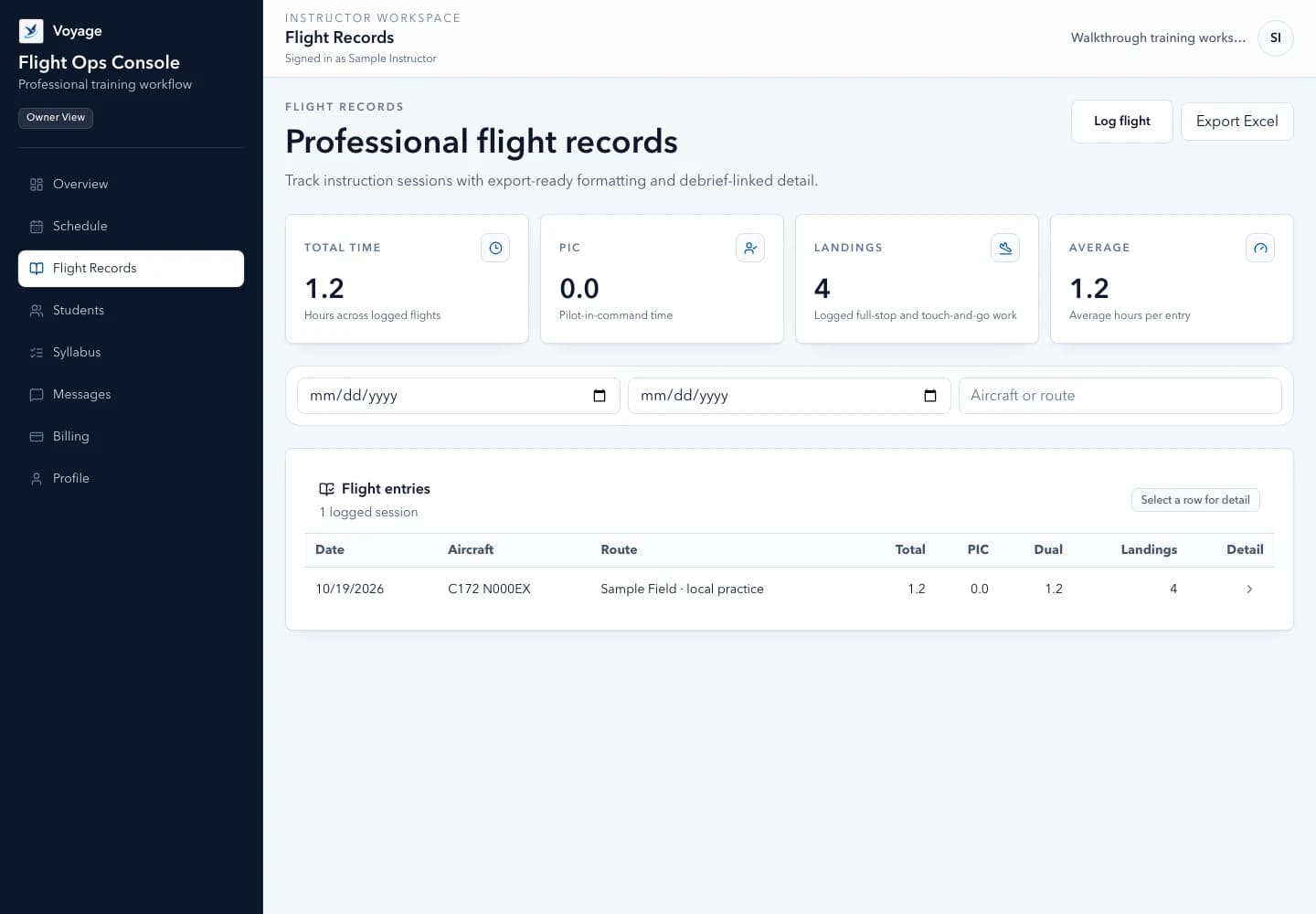
Voyage flight records list with fictional completed training lessons
Review the record behind each completed lesson. Example workspace · fictional data.

A focused workflow

How flight training records software works in Voyage

Connect syllabus stages, lesson evidence, debriefs, preparation, verification dates, and progress across an independent flight training workflow.

Evidence-backed progress

Track a syllabus as a map, not autopilot

Create stages around meaningful outcomes and connect each item to dated lessons, instructor assessment, preparation, and the current standard used.

  • Custom syllabus stages for private, instrument, and other instructor-led training
  • Not introduced, introduced, developing, meets current standard, and needs review states
  • Version-aware references so later edits do not rewrite historical assessments
  • Progress views that point back to the records behind the percentage

Actionable debriefs

Make every lesson useful after shutdown

A structured debrief helps the student understand the evidence and gives the instructor a focused next objective instead of another vague note.

  • Objective, evidence, strengths, improvement priorities, and preparation
  • Student reflection alongside instructor assessment
  • Clear links from a completed booking to the training record
  • Human review for every AI-assisted draft or training summary

Records and files

Keep operational detail organized and bounded

Track verification status and dates without retaining copies of medical certificates or government IDs. Lower-risk training files stay private and unavailable until scan status is clean.

  • Verification metadata and expiration follow-up
  • Private training-file storage with authorization on every download
  • Workspace-scoped exports for the owner and permitted members
  • No card credentials or sensitive identity documents in Voyage

Monthly review

Turn records into the next operational decision

The instructor digest summarizes completed training, hours, upcoming sessions, students without future bookings, and unresolved follow-up while keeping private details behind sign-in.

  • Workspace-local reporting period and timezone
  • Idempotent delivery status and retry-safe notification handling
  • Direct links back to authenticated source records
  • Read-only and export access during the retention window after cancellation

Common questions

Know what to expect before you start.

Does Voyage replace a pilot logbook?

No. Voyage is training-operations software for organizing lessons, evidence, debriefs, and progress. The instructor and pilot remain responsible for authoritative logbook entries and required records.

Can I use Voyage for private-pilot or instrument training?

Voyage can organize instructor-defined syllabus stages, lesson objectives, evidence, and preparation for different training paths. The CFI remains responsible for the current applicable standards, endorsements, and eligibility decisions.

How does Voyage handle AI-generated training text?

AI assistance is labeled as a draft and requires human review. Voyage does not fabricate successful results, make automatic endorsements, or authorize a flight based on generated text.

A practical walkthrough

Turn a completed lesson into a useful debrief

Fictional example: a lesson finishes early. The planned booking duration and the actual instruction are not interchangeable.

  1. Record the actual lesson, observations, and relevant instruction rather than copying the planned duration.
  2. Separate what the student demonstrated from what required instructor assistance.
  3. Leave one next objective and connect the appropriate preparation to the next lesson.

What this establishes: The student can understand what to prepare next. Voyage records are not an official pilot logbook and do not issue endorsements or certify proficiency.

Put this workflow into practice

Choose a focused feature guide or practical resource to review the next step before starting your instructor workspace.

Give your next lesson a clearer runway.

Start the complete Voyage workspace for 14 days with no card required. Students join free by invitation.

Start free trial