
Syllabus guide
How to track private pilot syllabus progress without losing flexibility
Use this private pilot syllabus tracking framework to connect stages, lesson evidence, ACS references, instructor decisions, and next actions.
Quick orientation
What this guide helps you do
A syllabus should make the training path visible without turning a progress percentage into an automatic proficiency or eligibility decision. Each status needs dated lesson evidence, the instructor's assessment, and the current source standard.
Key takeaways
- Organize the syllabus around outcomes and source standards, not a fixed number of lessons.
- Make each progress state mean one consistent thing and link it to dated evidence.
- Record the ACS or other source version used without rewriting older assessments when standards change.
- Keep endorsements, eligibility, and authoritative logbook records outside automated progress logic.
Treat the syllabus as a map, not an autopilot
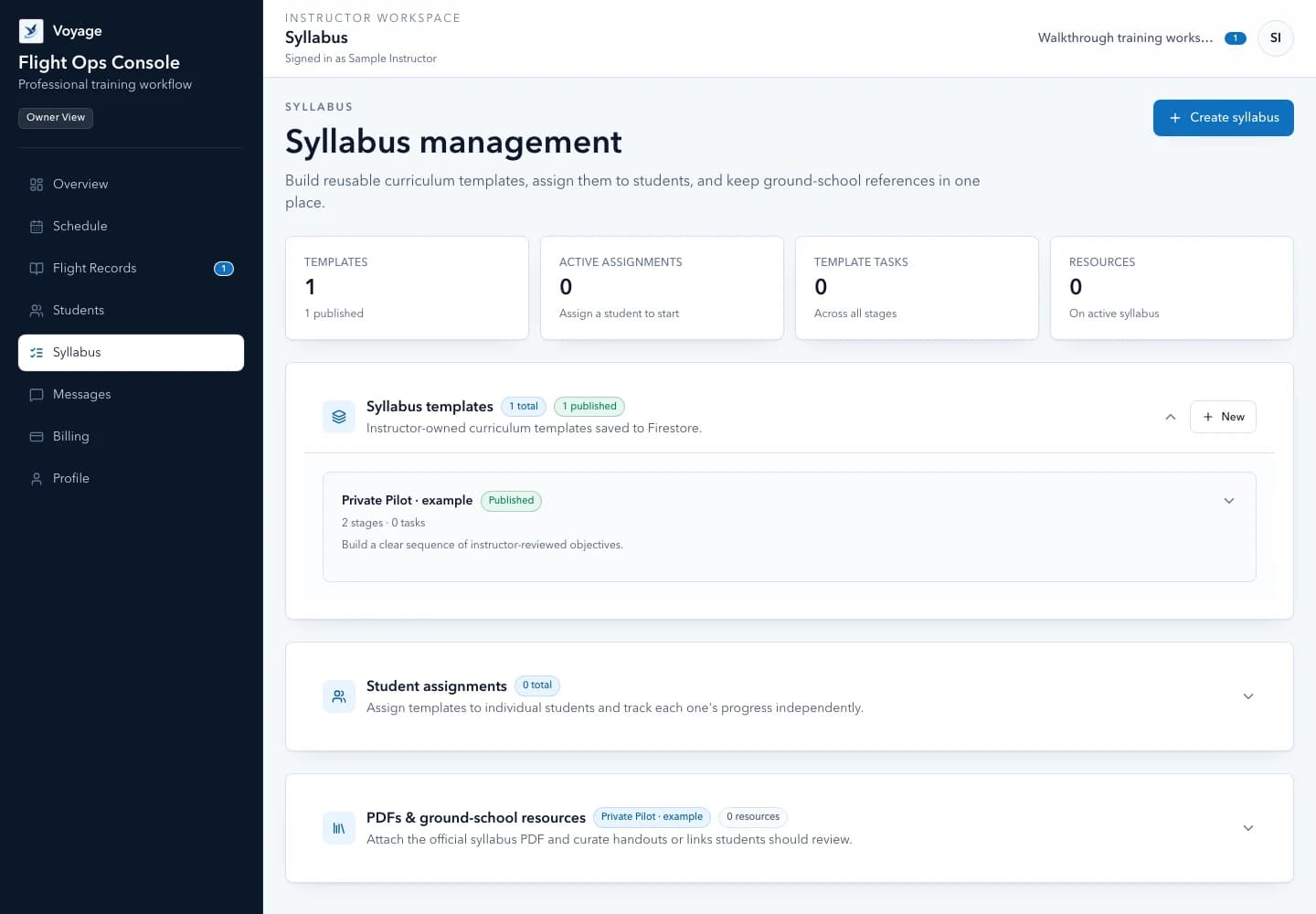
A syllabus gives the student a visible sequence and helps the instructor avoid accidental gaps. It should not force every learner through an identical number of lessons or automatically declare a skill complete.
Build stages around meaningful outcomes—foundations, aircraft control, airport operations, navigation, solo development, and practical-test preparation—then let the CFI choose the right next lesson from the evidence available.
Minimum syllabus setup
- Training goal, certificate or rating path, and the governing rule or approved curriculum when applicable.
- Current source standards, including the exact ACS publication identifier or other referenced guidance.
- Instructor-defined stages with observable objectives and prerequisites.
- Lesson plans that connect objectives, content, risk management, completion criteria, and preparation.
- A clear distinction between operational progress and required endorsements, experience, and authoritative records.
Track evidence at the lesson level
A progress percentage is only useful when it points back to real instruction. Connect each syllabus item to dated lesson records, debrief evidence, assigned preparation, and the instructor who made the assessment.
- Not introduced: no instruction has been recorded yet.
- Introduced: the student has received initial instruction.
- Developing: performance is inconsistent or still requires material coaching.
- Meets the instructor's current lesson standard: supported by recorded evidence.
- Needs review: recency, regression, or a new context justifies another assessment.
Use a progress record the next instructor can understand
A useful syllabus record explains why a status changed. Avoid a single percentage with no source. Record the status, evidence, date, instructor, source standard, and next action together so an authorized collaborator can understand the decision without guessing.
Reusable template
Syllabus item progress entry
- Stage and item
- [Stage] · [lesson objective or knowledge/risk/skill item]
- Source standard
- [ACS/task or instructor-defined source] · [publication/version]
- Current state
- [Not introduced / introduced / developing / meets current lesson standard / needs review]
- Evidence
- [Dated lesson record, conditions, repetitions, and observable performance]
- Instructor assessment
- [Why the evidence supports this state]
- Student reflection
- [Optional, separately labeled]
- Next action
- [Reinforce / expand context / reassess / move to next objective]
Do not convert this operational state into an endorsement or practical-test eligibility decision automatically.
Version standards and preserve history
ACS references and training materials change. Store the version used by the syllabus and preserve prior assessments when a template is updated. A later edit should not rewrite what the instructor recorded months earlier.
The system can organize evidence and flag missing areas, but checkride eligibility, endorsements, aeronautical experience, and proficiency decisions remain the CFI's responsibility under current rules and guidance.
Review progress weekly
A short weekly review helps a solo instructor manage a growing roster. Look for students without a future booking, preparation that remains incomplete, repeated developing items, records awaiting instructor acknowledgement, and verification metadata nearing expiration.
Share a concise student-facing summary, then use the private workspace for the underlying records. This keeps the student informed without sending sensitive or overly detailed material through email.
Weekly syllabus review
- Items marked developing across multiple lessons without a new training plan.
- Completed lessons that do not yet have an instructor-authored record or debrief.
- Preparation due before the next confirmed lesson.
- Students without a future booking or clear next objective.
- Source standards or instructor templates that have changed since the syllabus was assigned.
- Required records, experience, or endorsements that must be verified through their proper source before a decision.
Worked example: preserve evidence when a training plan changes
Alex pauses syllabus A while Morgan assigns syllabus B. Preserve A's completed work and distinguish the new assignment's preparation from older tasks. Returning to an archived assignment should not imply prior work never happened or that earlier proficiency is still current.
Reusable template
Adapt this fictional example
- Plan change
- Record the active plan and why the instructor changed it
- History
- Retain earlier assignments and lesson evidence
- Next lesson
- Review the new or restored assignment's tasks against the student's current needs
Fictional administrative example, not a flight procedure, eligibility assessment, or endorsement.
Primary sources
Check the current official material
Rules, standards, and guidance can change. Open the current source before using this resource for a real training or recordkeeping decision.
Use the workflow in Voyage
See Voyage syllabus and training records
Organize instructor-defined stages, lesson evidence, debriefs, preparation, and progress without replacing the authoritative logbook.
Explore the product workflowPublished and maintained by Voyage. Read how Voyage researches, updates, and corrects its resources.