
Syllabus and preparation

Flight Training Syllabus Software for CFIs

Give each lesson a place in the training plan. Voyage connects syllabus assignments and student preparation with the instructor's records, while leaving proficiency and regulatory decisions with the CFI.

Training plan

Connect the assignment to the next lesson

Use the active assignment as a shared reference for preparation and progress. Progress indicators organize work; they do not issue endorsements or certify readiness.

Voyage sample workspace

Connect the assignment to the next lesson

1

active syllabus assignment per student

  • Assigned syllabus

    Instructor-selected training structure

    Active
  • Lesson preparation

    Reading, tasks, and follow-up

    Review

Illustrative Voyage interface using fictional names and sample values.

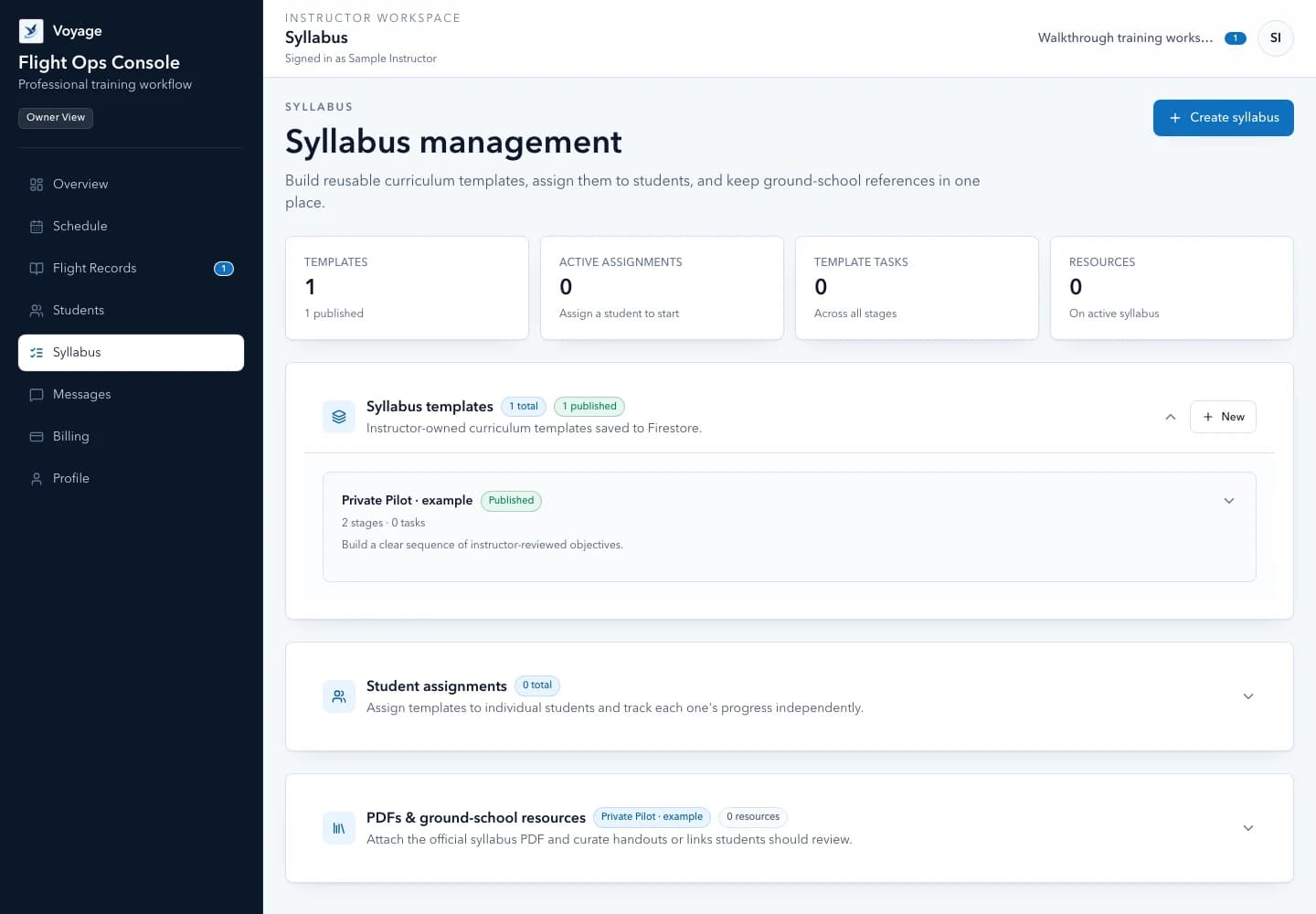
Voyage syllabus library with a fictional private pilot training plan
Use a structured syllabus while retaining instructor judgment. Example workspace · fictional data.

A focused workflow

How syllabus and preparation works in Voyage

Organize instructor-managed syllabi, student assignments, preparation tasks, and lesson evidence in one independent-CFI workspace.

Structure

Start from a plan you can teach

Organize the syllabus around your actual operation, instructional sequence, and student needs. A useful plan explains the next objective and the preparation needed to attempt it; it does not assume every student progresses at the same pace.

  • Maintain instructor-managed syllabus resources
  • Assign a plan to the correct student
  • Keep historical assignments separate from the active one
  • Use authorized private-file access for attached PDFs

Preparation

Keep tasks tied to the right assignment

Preparation generated from a syllabus remains scoped to its assignment. Removing an irrelevant generated task should remain an intentional choice; restoring defaults is an explicit action rather than an unexpected reset.

  • Review tasks before the next booking
  • Adapt preparation to observed student needs
  • Keep the active assignment and student summary aligned
  • Use a new assignment when the training plan changes

Evidence

Review learning rather than a percentage alone

Connect progress to the completed lesson, instructor observation, and debrief. A completion indicator is useful navigation, but it cannot replace evidence or determine whether an endorsement is appropriate.

  • Training records organize lesson evidence and preparation; they do not replace an authoritative logbook or endorsement.
  • Separate completed tasks from demonstrated proficiency
  • Keep required authoritative entries in the proper record
  • Review current FAA and eCFR requirements independently

Common questions

Know what to expect before you start.

Does Voyage issue FAA endorsements?

No. Voyage organizes training information; it does not grant authorization, issue endorsements, or replace instructor judgment.

Can I attach syllabus PDFs?

Supported PDF uploads use Voyage's private-file workflow with scanning and authorized access. Files remain subject to workspace permissions and storage limits.

Can a student have several active assignments?

Voyage maintains one active syllabus assignment per student and retains superseded assignment history.

A practical walkthrough

Move from an assigned plan to the next lesson

Fictional example: Morgan changes Alex's active syllabus while preserving the earlier assignment's evidence.

  1. Instructor: select the intended syllabus and review the active assignment on the student record.
  2. Student: find the preparation for that assignment, not an archived plan.
  3. Instructor: compare completed preparation with actual lesson observations before choosing the next objective.

What this establishes: One active assignment provides a shared reference without discarding history. Completion indicators organize work; the CFI still assesses proficiency and applicable requirements.

Put this workflow into practice

Choose a focused feature guide or practical resource to review the next step before starting your instructor workspace.

Give your next lesson a clearer runway.

Start the complete Voyage workspace for 14 days with no card required. Students join free by invitation.

Start free trial