
Flight instructor scheduling software

Flight Instructor Scheduling Software

Voyage is a scheduling workspace for flight instructors who need more than a shared calendar. Review requests, protect buffers, connect preparation, and keep each confirmed lesson tied to the training operation.

Scheduling product preview

Review availability before a lesson is confirmed

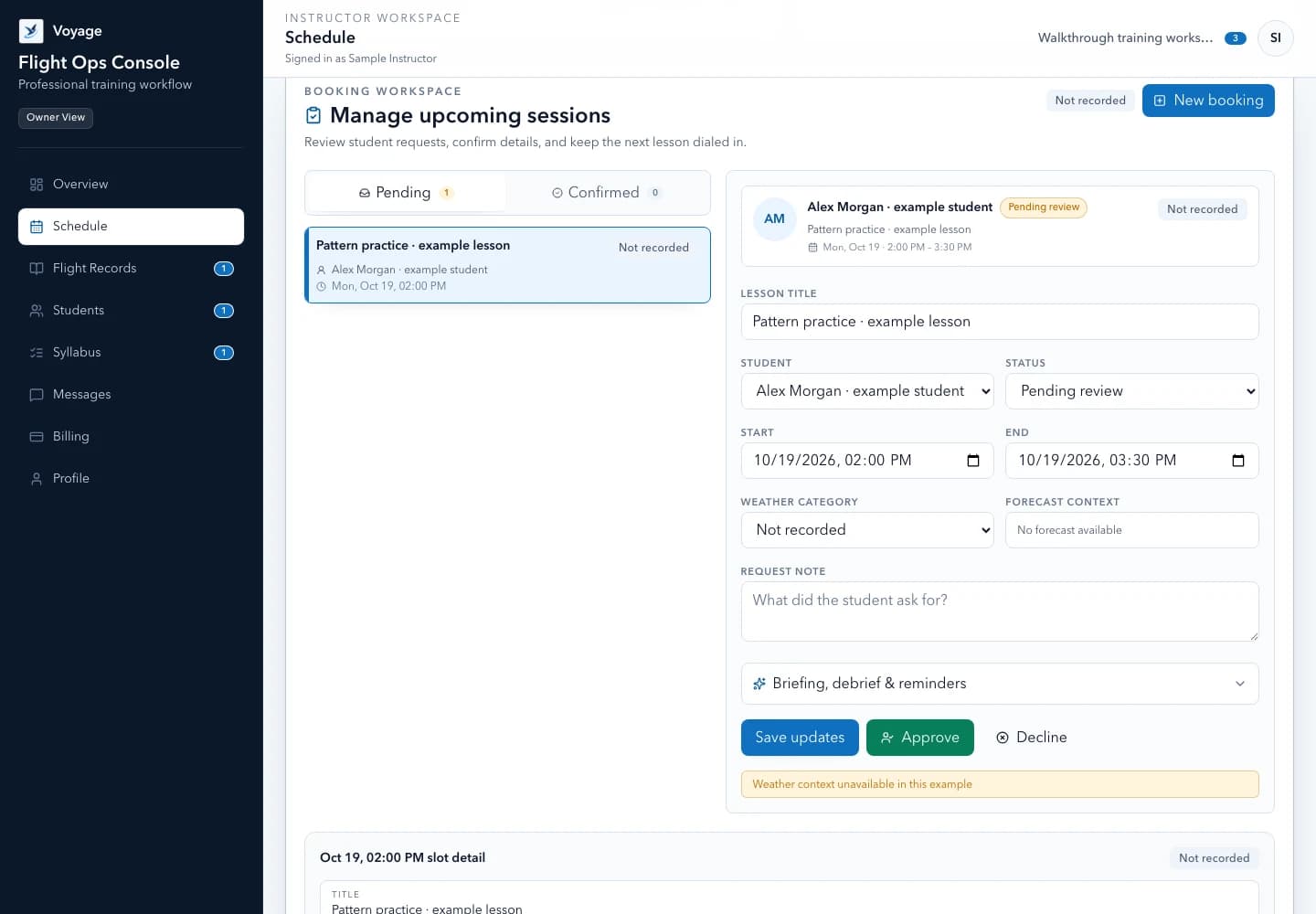
The instructor sees request-ready windows, buffers, preparation, and approval state together. Students request a time; Voyage does not automatically approve a flight lesson.

Voyage sample workspace

Review availability before a lesson is confirmed

3

request-ready windows

  • 09:00–11:00 · Harbor Airport

    30-minute buffer · Pattern proficiency

    Available
  • 13:30–15:00 · Sample Field

    Student preparation complete

    Review request
  • 17:00–18:30 · Harbor Airport

    Aircraft access pending

    Hold

Illustrative Voyage interface using fictional names and sample values.

Voyage instructor schedule with fictional lesson requests and availability
Review lesson requests alongside instructor availability. Example workspace · fictional data.

A focused workflow

How flight instructor scheduling software works in Voyage

Plan flight lessons around real teaching windows, instructor approval, student preparation, buffers, and the decisions only a CFI can make.

Availability first

Publish workable teaching windows

Give students a clear way to request time without turning every message into a negotiation. Your home timezone, recurring availability, blocked periods, and lesson defaults stay visible in one place.

  • Recurring availability with explicit start and end times
  • Buffers for aircraft access, travel, maintenance, and personal commitments
  • Overlap and end-after-start checks before a request is accepted
  • A request-and-approval workflow instead of automatic confirmation

Preparation attached

Make the next lesson ready before it starts

A booking is more useful when the student knows the objective and preparation. Attach checklists, reading, knowledge checks, and follow-up to the scheduled session.

  • Lesson objectives that remain connected to the booking
  • Student preparation status visible before instructor review
  • Clear requested, confirmed, canceled, no-show, and completed states
  • A direct path from the completed session to the lesson record and debrief

Operational review

See who needs a scheduling follow-up

The monthly instructor report highlights students without a future booking, upcoming work, incomplete preparation, and administrative items without exposing private training detail in email.

  • Upcoming sessions grouped by the instructor workspace timezone
  • Follow-up prompts for inactive students and unresolved requests
  • A concise monthly digest with links back to authenticated records
  • Delivery status and idempotent reporting instead of duplicate messages

Instructor judgment

Scheduling support without an automated flight verdict

Voyage can show supplemental weather context and organize the schedule, but it never replaces an official briefing, a pilot-in-command decision, or instructor judgment.

  • Unavailable weather data is shown as unavailable—not assumed clear
  • No automated go/no-go, dispatch, endorsement, or readiness decision
  • Training records remain separate from the authoritative pilot logbook
  • The instructor controls what is approved and what changes next

Common questions

Know what to expect before you start.

Can students request flight lessons online?

Yes. Students can request available slots from their invitation-only workspace. The instructor reviews the request against availability, aircraft access, preparation, and the lesson objective before confirming it.

Does Voyage replace an official weather briefing?

No. Voyage may show supplemental context when available, but it is not an official weather source, dispatch service, or substitute for the pilot's required preflight process and instructor judgment.

Is this scheduling software for large flight schools?

Voyage is designed first for independent CFIs and small instructor-led operations. It supports invited instructor collaboration while keeping one owner-administered workspace and clear tenant boundaries.

A practical walkthrough

From an open window to a confirmed lesson

Fictional example: Alex requests Tuesday at 09:00 in Morgan's published teaching window. The aircraft and preparation still need review.

  1. Instructor: review the requested time, named timezone, objective, and buffer on the schedule.
  2. Student: find the preparation and clarify any missing detail before the lesson.
  3. Instructor: confirm only after reviewing the constraints; if the time changes, keep the booking and message consistent.

What this establishes: Both people can refer to the same booking state. Voyage does not provide aircraft dispatch or make the operational go/no-go decision.

Put this workflow into practice

Choose a focused feature guide or practical resource to review the next step before starting your instructor workspace.

Give your next lesson a clearer runway.

Start the complete Voyage workspace for 14 days with no card required. Students join free by invitation.

Start free trial