

Flight instructor scheduling software
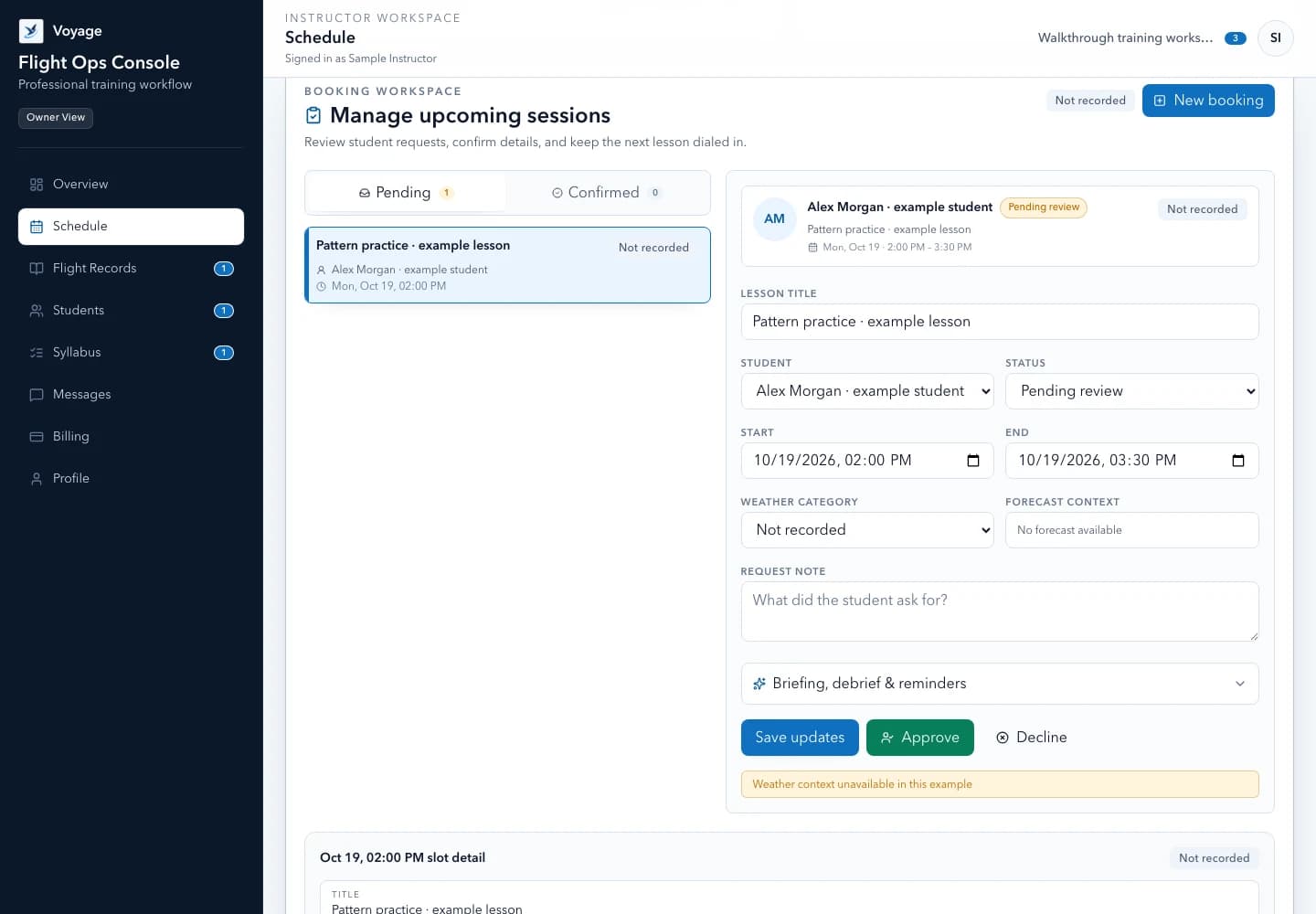
Review requests, protect availability, attach preparation, and close the loop after each lesson.
Explore this workflowRun lesson requests, student preparation, training records, debriefs, messages, and monthly reporting in one clear Voyage workspace.
A Voyage product overview: create a student relationship, schedule a lesson, attach preparation, capture a debrief, and review the monthly instructor report.
Private workspace boundaries
CFI-controlled training decisions
Monthly operational digest
One connected workflow
Voyage connects the six moments that shape an independent instructor's week. Each step leaves the next person with a clear action.
Create a private student relationship without exposing another instructor's records.
Offer realistic availability, review requests, and keep both people aligned.
Assign the exact reading, quiz, or checklist needed before the lesson.
Keep the lesson objective and supporting context attached to the session.
Capture evidence, priorities, and the next action while the lesson is fresh.
Receive a concise monthly view of progress, workload, and follow-up.
Start with the workflow you need
Explore focused guides for scheduling lessons, managing students, and keeping training records useful from one week to the next.
Review requests, protect availability, attach preparation, and close the loop after each lesson.
Explore this workflowKeep roster, progress, messages, payments, and next actions in the right instructor workspace.
Explore this workflowConnect syllabus stages, lesson evidence, debriefs, verification dates, and monthly reporting.
Explore this workflowMade for the solo CFI
Use a professional system sized for an instructor who owns the student relationship and needs every record to stay useful.
Set availability, review student requests, protect buffers, and connect each completed session to its training record.
Organize syllabus stages, lesson records, debriefs, tests, and assignments without pretending software replaces CFI judgment.
Give every invited student a clear place for bookings, preparation, messages, and progress—even when they work with more than one CFI.
Keep rates, lesson invoices, and payment status close to the training operation while Stripe handles card data and payment processing.
Track verification and expiration metadata without keeping copies of government IDs or medical certificates in Voyage.
Draft study and training material from workspace context, clearly label AI output, and keep the instructor in control of every decision.
A clearer month ahead
Review the previous month with a tenant-isolated digest of completed training, upcoming sessions, progress, and quota usage. Private detail stays in the authenticated workspace.
Voyage monthly instructor report
Fictional example workspace · July 2026
24
Lessons
34.6
Hours
5
Upcoming
2
Follow-ups
Next seven days
Students who may need attention
Administrative follow-up
Private details remain behind sign-in. This email contains only the operational summary.
Example report using fictional data.
One simple instructor plan
14 days free. No card required. Students never pay for access.
Predictable pricing
Voyage publishes the full allowance up front. When a quota is reached, the related action pauses instead of creating a surprise charge.
Field notes
Templates and workflows written for independent instructors—not generic small-business advice.
Scheduling guide
Use this flight-lesson scheduling workflow and confirmation checklist to protect instruction time, review student requests, and keep preparation visible.
5 min read
Reporting template
Use this copy-ready student progress report template to summarize completed training, observed evidence, priorities, and next-step preparation.
4 min read
Debrief template
Use this flight lesson debrief template to capture objectives, observable evidence, student reflection, priorities, and preparation for the next session.
5 min read
Questions, answered
Yes. An independent instructor can begin a 14-day trial without entering a card. Add a payment method before the trial ends to continue with full access.
No. Student accounts are free and invitation-only. The instructor owns and pays for the workspace.
Yes. A student can belong to multiple CFI workspaces and switches between them explicitly. Records stay isolated by instructor workspace.
No. Voyage organizes training operations and supplemental context. It is not an official pilot logbook, endorsement authority, weather briefing, or dispatch tool.
The workspace becomes read-only. You can still view and export your information or open billing. General workspace data is retained for 90 days before scheduled deletion, subject to limited legal retention requirements.
Choose a focused feature guide or practical resource to review the next step before starting your instructor workspace.
Start a 14-day trial with no card required. Invite students when your workspace is ready.