
CFI invoicing

Flight Instructor Invoicing Software

Finish the lesson, record the actual instruction, and make the charge understandable. Voyage helps independent CFIs keep student invoices and payment follow-up in the same workspace as their training operation.

Student payments

Keep two kinds of billing separate

Student invoice payments are separate from the Voyage workspace subscription. Stripe processing fees can apply; Voyage's platform fee is zero.

Voyage sample workspace

Keep two kinds of billing separate

0%

Voyage platform fee on student payments

  • Instruction invoice

    Student lesson charges and due date

    Student billing
  • Voyage subscription

    Owner workspace access

    Separate

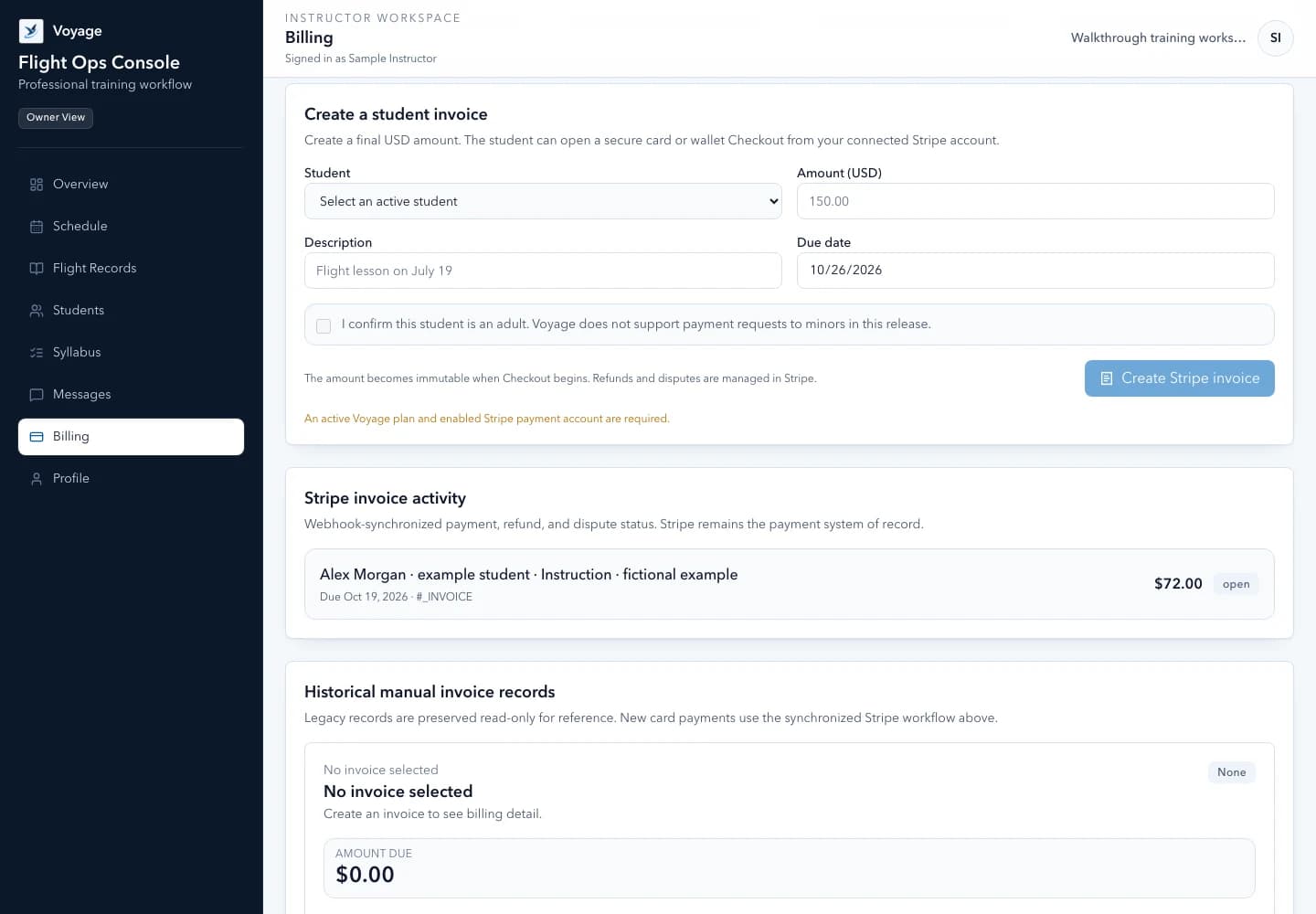
Illustrative Voyage interface using fictional names and sample values.

Voyage student invoice workflow using fictional lesson charges
Student invoice collections remain separate from your Voyage subscription. Example workspace · fictional data.

A focused workflow

How cfi invoicing works in Voyage

Keep student lesson invoices, due dates, and Stripe payment status connected to your instructor workspace without mixing them with your Voyage subscription.

Clarity

Make each lesson charge easy to understand

Use the student record and completed training history to check whom you are billing and what took place. Review actual time and the agreed rate before sending an invoice; a calendar duration alone is not proof of billable instruction.

  • Describe the instructional service and service date
  • Review the amount and currency before sharing
  • Keep a clear due date and payment status
  • Keep sensitive student documents out of invoice descriptions

Payment workflow

Use the supported Stripe connection

Online student collections depend on the instructor's connected Stripe account and its eligibility. The workspace subscription does not enable or guarantee payouts for that account. Review outstanding setup requirements in the billing workflow before offering online payment.

  • Instructor-controlled connected-account onboarding
  • Payment status synchronized through signed Stripe events
  • Processing fees may apply even with a zero Voyage platform fee
  • No promise of instant settlement or guaranteed payment

Follow-up

Follow overdue amounts without guessing

An unpaid invoice whose UTC due date has passed is overdue. Review the invoice's current source record before contacting the student, particularly after a payment, refund, cancellation, or delayed provider update.

  • Separate outstanding invoices from collected amounts
  • Check due-date and payment status together
  • Review exceptions from the authenticated workspace
  • Use the monthly report to identify follow-up, not to replace accounting records

Common questions

Know what to expect before you start.

Is student invoicing included in the workspace price?

The workspace provides the supported invoicing workflow. Student charges are separate from the Voyage subscription; Stripe processing fees and connected-account requirements can apply.

Does Voyage calculate my tax obligations?

No. The instructor is responsible for applicable billing and tax requirements and should obtain professional advice for their situation.

Are student payments Voyage subscription revenue?

No. Student invoice collections and the owner-paid Voyage subscription are separate billing flows.

A practical walkthrough

Review the lesson before charging for it

Fictional example: a 90-minute reservation results in 1.2 reviewed billable hours under a separately agreed rate.

  1. Instructor: compare the completed service with the booking and review the amount, currency, and due date.
  2. Student: open the authenticated invoice and use the supported payment flow when available.
  3. Instructor: confirm the current invoice/provider state before treating a return page as payment or sending a reminder.

What this establishes: Student collections stay separate from Voyage's workspace subscription. Connected-account eligibility and provider processing fees still apply; a zero platform fee does not mean free payment processing.

Put this workflow into practice

Choose a focused feature guide or practical resource to review the next step before starting your instructor workspace.

Give your next lesson a clearer runway.

Start the complete Voyage workspace for 14 days with no card required. Students join free by invitation.

Start free trial