
Product walkthrough
Getting Started with Voyage: Your First Instructor Workflow
Follow Voyage's first-workspace guide: complete your profile, add an adult student, review a booking, assign preparation, record a lesson, and review monthly follow-up.
Quick orientation
What this guide helps you do
Build one complete instructor workflow before trying to populate every feature. Start with the profile and workspace, then connect a student, a reviewed lesson request, preparation, and the resulting record.
Key takeaways
- Use the first-login guide or replay it from Profile.
- An adult student joins by invitation; minors remain roster-only.
- The workspace subscription and student payments are separate.
Linked sources reviewed . Check the current source before applying a requirement.
Create and orient your workspace
Start the instructor trial, complete email verification when required, and finish your profile. Review your home airport, timezone, and selected workspace before entering students or availability.
The guided walkthrough introduces the pages available to your role. Replay it from Profile when needed. Owner-only billing instructions are separate from instructor-teammate and student lessons.
Workspace orientation
- Verified account and complete profile
- Home airport and timezone checked
- Correct workspace selected
- Walkthrough reviewed or replayed from Profile
Connect the student and lesson
Add the roster record and review whether the student belongs in the adult invitation flow. Explain how booking requests work before inviting the student to choose a time.
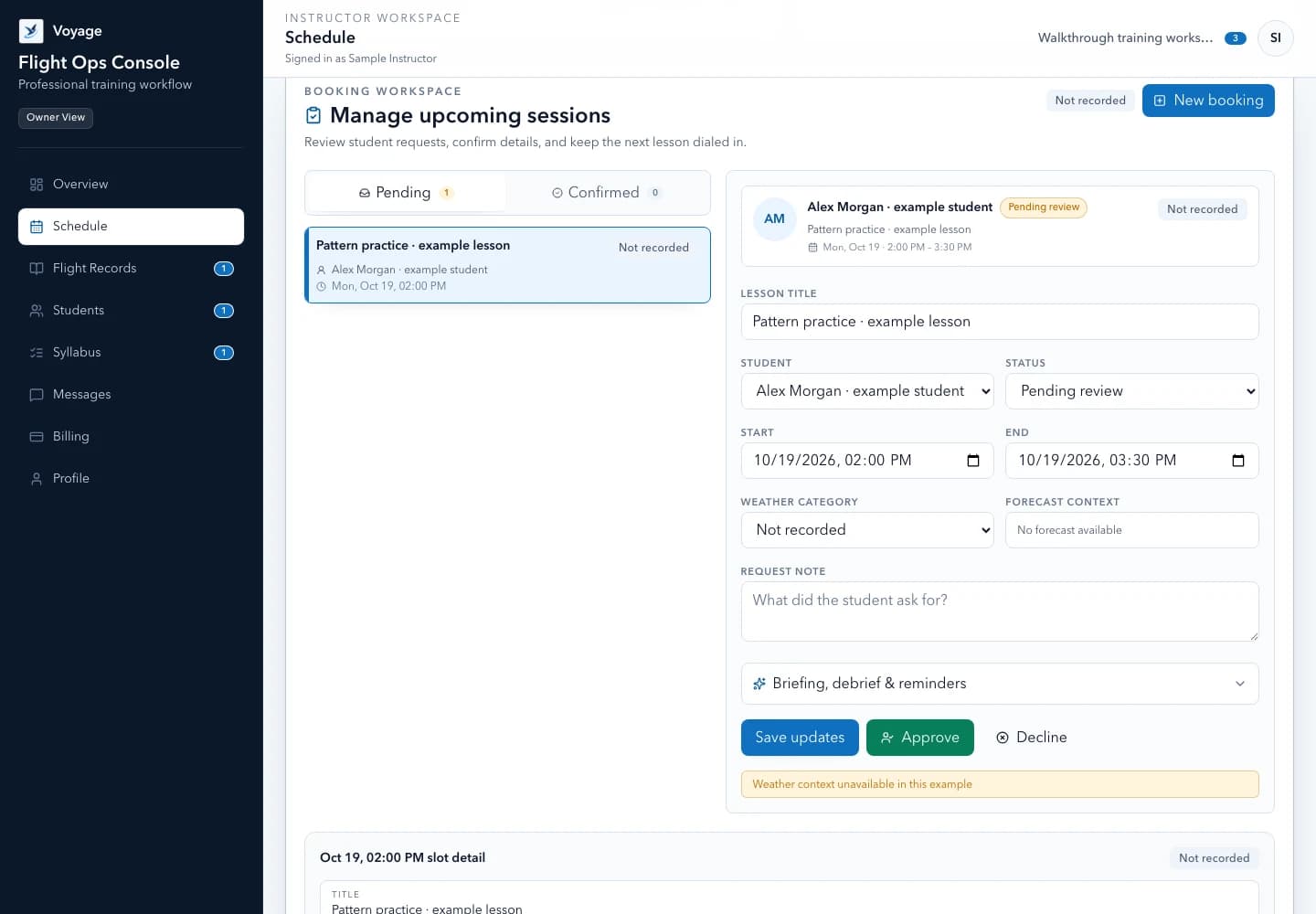
Set realistic availability, then review a request for its time, location, objective, preparation, and aircraft access. Assign the syllabus and preparation that fit this student's next step rather than treating the calendar event as the entire training plan.
Reusable template
First workflow checklist
- Student
- [Roster reviewed] · [Eligible adult invitation or minor roster-only]
- Plan
- [Active syllabus] · [Next objective] · [Preparation]
- Booking
- [Request reviewed] · [Confirmed time and location]
- After the lesson
- [Actual instruction] · [Record] · [Debrief] · [Next task]
Review billing and the monthly rhythm
If you use online student payments, complete the supported Stripe Connect setup and review account requirements before offering payment. That process is separate from paying for the Voyage workspace.
Use messages for student communication and Profile for monthly-report preferences. At the end of a lesson, record actual instruction and debrief evidence. At the monthly review, follow exceptions back to their authenticated source records.
- Owner manages the workspace subscription
- Student invoice payments remain separate
- Monthly reports summarize recorded activity
- Logbooks, endorsements, and flight decisions retain their proper authoritative process
Worked example: complete your first instructor workflow
Morgan reviews the workspace timezone and home airport, adds an eligible adult student, and explains the invitation. Alex finds the preparation and requests a time. Morgan reviews the request before confirming it.
After actual instruction, Morgan records the lesson and next objective, then reviews any charge against the agreed arrangement. A booking or onboarding completion is not evidence that instruction occurred. This public walkthrough creates no records or payments.
Reusable template
Adapt this fictional example
- Before instruction
- Preparation visible; booking reflects instructor review
- After instruction
- Record actual evidence rather than planned duration
- Payment
- Review any student invoice separately from Voyage subscription billing
Fictional administrative example, not a flight procedure, eligibility assessment, or endorsement.
Primary sources
Check the current official material
Rules, standards, and guidance can change. Open the current source before using this resource for a real training or recordkeeping decision.
Use the workflow in Voyage
Explore the Voyage workspace
Review the supported workflow, example interface, and workspace limits before starting your trial.
Explore the product workflowPublished and maintained by Voyage. Read how Voyage researches, updates, and corrects its resources.